
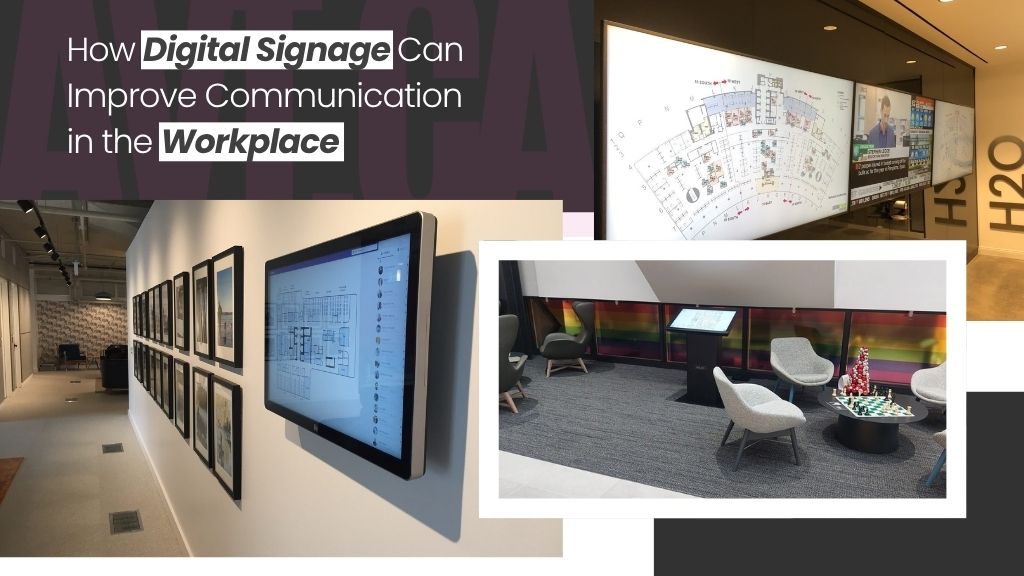
Keeping employees informed is harder than it looks. Announcements get buried under a hundred other emails. Printed notices go up on a Monday and are outdated by Wednesday. And if your team is spread across departments, floors, or entire cities, there’s no guarantee everyone hears the same message at the same time.
That’s the gap Digital Signage is built to close. Instead of hoping people check their inbox, you put the information where they already are, a screen in the hallway, the break room, or the lobby, updated the moment it changes.
Announcements, employee recognition, wayfinding, meeting-room schedules it all lives in one place. No one has to open an email to see it.
What Is Workplace Digital Signage?
Workplace Digital Signage runs on electronic screens, LCD and LED monitors, video walls, and interactive touchscreens. You’ll usually find it in receptions, hallways, common areas, and meeting rooms.
There’s nothing to print, nothing to pin up. Updates happen instantly, which makes Corporate Digital Signage a good fit for workplaces where information changes often, schedules, policies, projects, reminders.
Some businesses run everything on a local network. Others connect through the cloud when they need to manage screens across more than one location.
1. Make Important Updates Impossible to Miss
Email isn’t a guarantee. People are busy, inboxes are full, and even a genuinely important message can sit unread for hours.
A well-placed screen backs that message up. It puts the same information in a shared physical space where people are already looking. No click required.
Common uses for Digital Signage Displays in the workplace:
- Company announcements
- Policy updates
- Business updates and strategy
- Upcoming events
- Employee recognition
- Daily reminders
AVT often sets these systems up to highlight policy changes, business strategy, and colleague recognition. Small moments that are easy to lose in an email chain, but hard to miss on a screen in the break room.
2. Cut Down on Printed Notices
Bulletin boards and printed memos still have their place. They just don’t hold up well when information changes weekly or daily.
Someone has to design it, print it, post it, then remember to take it down later. A digital display skips all of that. Updates happen electronically, so your team always sees the current version, not last month’s.
It also fixes a smaller problem. The person who missed the announcement the first time around still sees it, because it’s still on the screen.
3. Help People Find Their Way Around
Not every communication challenge is about announcements. Sometimes it’s simpler than that, can people actually find where they’re going?
In larger offices and campuses, getting lost is a real problem. Late to a meeting because the conference room was three hallways over. Hosting a visitor who’s never set foot in your building before.
Interactive Digital Signage solves this directly. A touchscreen near the entrance lets someone tap in a meeting room name and get a mapped route on the spot. No one has to stop what they’re doing to walk them there.
4. Reach Every Location at Once
The moment a business operates from more than one office, communication gets harder. A single message can turn into several emails, a few manual screen updates, and inconsistent timing across locations.
Digital Signage Solutions solve this by pushing one message to every connected screen at once, whether that’s a different floor, a different city, or a different country, through an internal network or the cloud.
That doesn’t mean every screen has to say the same thing. A company-wide announcement can run everywhere, while a local office still shows information relevant only to its own team.
5. Schedule Different Messages Throughout the Day
Not everything needs to be on screen all day. One of the more underused strengths of modern Digital Signage Services is time-based scheduling, content changes automatically, without anyone touching the system.
A typical day might look like:
- Morning: Employee recognition, announcements, upcoming events
- Midday: Lunch options or nearby food spots
- Afternoon: Reminders or corporate updates
- End of day: Transit and traffic info for the commute home
It keeps the screen relevant to what people actually need in that moment, instead of showing the same static message on repeat.
6. Build a More Engaged Workplace
Not every message has to be a policy update. Screens are also a good way to recognize employees, celebrate wins, and promote upcoming events. The kind of thing that’s easy to skip in an email but lands differently on a shared screen colleagues see together.
Because content is easy to change, nothing gets stale. You can keep things current without much extra effort.
7. Use Video Walls for Larger Spaces
A single monitor doesn’t always cut it. In larger reception areas, presentation spaces, or open-concept offices, a Video Wall combines multiple displays or LED panels into one larger surface, readable from a distance.
Room size matters here, so does viewing distance, and what actually needs to be shown. Worth thinking through before you commit to a setup.
8. Manage Everything from One Place
Once you’re running more than a handful of displays, updating each one individually stops being realistic.
A networked or Cloud-Based Digital Signage platform fixes that. Authorized staff can push updates to every connected screen from one dashboard. No walking floor to floor, no separate logins per location. That matters most when something needs to go out fast, an urgent announcement shouldn’t wait on someone manually updating six different screens.
What to Consider Before Installing Digital Signage
Before choosing hardware, get clear on how your organization actually plans to communicate.
Think through where displays will sit, what kind of information they’ll carry, who’s responsible for managing content, and how often that content will realistically change.
The space itself matters too. A smaller office might only need a couple of well-placed LCD screens. A larger facility may get more value from video walls or interactive touchscreens.
Connectivity is worth planning for as well. A single-location business may only need the local network. Multi-location businesses usually get more out of cloud-based management.
And don’t underestimate installation. A screen mounted in the wrong spot, or at the wrong height, won’t get seen, no matter how good the content is. That’s where working with an experienced Digital Signage for Businesses provider pays off: proper placement, and ongoing service as your needs change.
Creating a More Connected Workplace
Good workplace communication comes down to getting the right information to the right people at the right time. Email and meetings still matter, but they’re not always enough on their own.
Digital Signage gives businesses another way in. Visible, scalable, easy to start small and grow, a couple of screens today, several across multiple locations later.
If you’re weighing your options, start with what you actually need to communicate and how often it changes. That’ll tell you more than the display specs will.
Thinking about implementing Digital Signage in your organization? Contact AVT.ca to talk through what would work for your space.